How to Join MyQuiz.com: A Simple Step-by-Step Guide for New Users
Online quiz platforms are nothing new. They became popular in the field of learning and entertainment. MyQuiz.com is an online quiz platform where users can participate in live quizzes, participate in learning, and test their knowledge. This article will discuss joining MyQuiz.com, so keep reading.
What Is MyQuiz.com?
MyQuiz.com an online quiz platform that allows users to:
- Join live quiz sessions
- Participate using a game code
- Create and host their own quizzes
It is generally used for education, events, and fun group activities.
Requirements Before Joining
There are a few things to ensure before joining a quiz:
- A stable internet connection
- A device (mobile, tablet, or computer)
- A valid quiz code (provided by the host)
Generally, an account is not required to join a quiz.
Step-by-Step Guide to Join MyQuiz.com
Step 1: Visit the Website
The first step is to visit the official website using your browser.
Step 2: Enter the Quiz Code
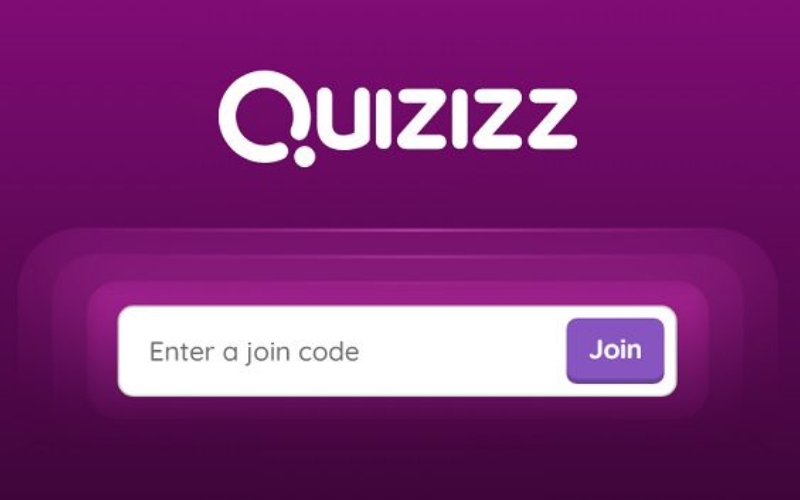
On the homepage, you will see a dialogue box with the option to enter a quiz code.
- Type the code given by the host
- Double-check for accuracy
Step 3: Enter Your Name
Once entering the code, you will be required to submit details like your name or nickname.
- Choose a simple name
- Avoid inappropriate or confusing names
Other users can also see your name.
Step 4: Join the Quiz
Finally, hit the join button to enter the quiz room.
Once joined:
- Wait for the host to start the quiz
- Follow the instructions on your screen
How Live Quizzes Work
Most quizzes are based on a simple format, which is similar to:
- Questions appear on your screen
- You select the correct answer
- Points are awarded based on accuracy and speed
Users are allowed to see results in real-time to make quizzes more engaging.
Tips for a Better Experience
Join Early: Joining before the quiz starts helps avoid last-minute issues.
Check Your Internet: A stable connection ensures smooth participation.
Read Questions Carefully: Take a moment to understand the question before answering.
Stay Focused: Avoid distractions to improve your performance.
Common Problems and Solutions
Invalid Code
If the code doesn’t work:
- Check for typing errors
- Confirm with the host
Unable to Join
- Refresh the page
- Check your internet connection
Name Not Accepted
Use a simple name without special characters.
Can You Create Your Own Quiz?
Absolutely, platforms like MyQuiz.com provide the facility to users to create quizzes based on their interests.
You can:
- Design questions
- Invite participants
- Share quiz codes
This feature is highly useful for teachers, trainers, and event organizers.
Frequently Asked Questions (FAQs)
Do I Need an Account to Join MyQuiz.com?
No, an account is not required to join a quiz on MyQuiz.com. You can join using a code.
Where Do I Get the Quiz Code?
You can get code from the host or organizer.
Can I Join From My Mobile Phone?
Yes, the MyQuiz.com platform can be accessed with multiple devices, including phones.
Conclusion
MyQuiz.com is a new-age fun-learning platform, where you can design a quiz and share it with your friends, students, customers, and more. In this article, we discussed the usability of MyQuiz.com in detail, and we hope you like reading it. If so, then do share this post with others as well.






Why HR Teams Should Connect Workforce Planning With Talent Development
Weltrade Broker Review: Examining Its Tools and Trading Environment