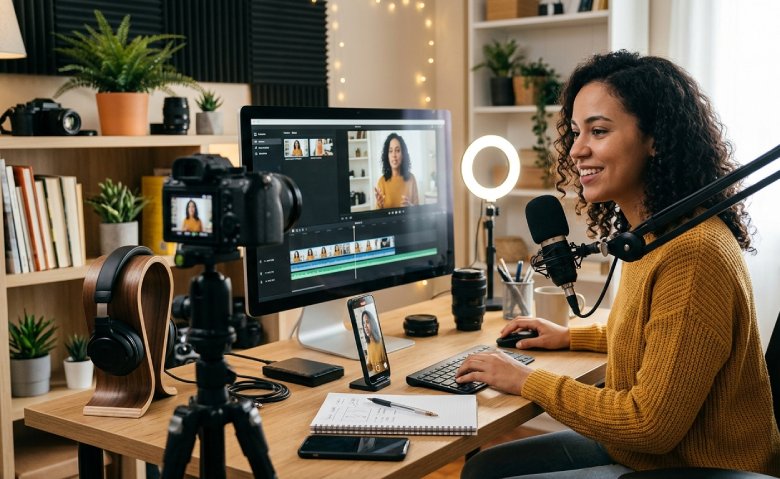
Video Creator Tips for Better Content
Video Creator Tips for content that captures viewers from start to finish are crucial. The tips video creators' content is over-consumed. Your platform - be it social media, YouTube, marketing, or personal projects - effective planning and basic editing are key. Thanks to online tools like Video Creator Clideo, producing high-quality videos no longer requires advanced skills. Let's delve into some practical advice that can elevate your videos and resonate with your audience.
Why Great Content Starts Before You Hit Record
When people make videos, they usually think that editing is the most important part. The truth is, the best videos usually start with good planning. If you take a minute to think about what you want to say, you can save a lot of time later on. You will not get confused when you are filming.
You should ask yourself some questions before you start:
- Who are you making the video for?
- What problem are you trying to solve?
- What do you want people to remember from your video?
- Where will you put your video?
- How long should your video be?
If you have answers to these questions, then each part of your video will make sense. Your video will not seem like it is all over the place. The video creators who plan to make videos. Planning your video is, like planning anything, it helps you make something good. Video creators like to make videos that people will watch, so they plan their videos carefully.
Focus on One Main Message
One of the biggest mistakes new creators make is trying to cover too many ideas in a single video. Instead, keep your message simple and focused.
For example, rather than creating a video about everything related to photography, make one video about improving lighting, another about camera settings and another about editing techniques.
When viewers clearly understand your message, they're more likely to stay engaged and remember your content afterwards.
Capture Attention Within the First Few Seconds
Online audiences decide quickly whether they'll continue watching. The opening of your video should immediately tell viewers why it's worth their time.
Some effective ways to begin include:
-
Ask an interesting question.
-
Show the finished result first.
-
Present a common problem.
-
Share a surprising fact.
-
Promise a useful solution.
Avoid spending the first several seconds on lengthy introductions. Get to the value quickly.
Record Clear Audio Before Worrying About Fancy Visuals
People are often willing to forgive average video quality, but poor audio can make them stop watching almost immediately.
To improve your recordings:
-
Film in a quiet room.
-
Reduce background noise.
-
Speak naturally rather than rushing.
-
Position the microphone close to your voice.
-
Test your sound before recording the full video.
Clear speech makes your videos feel much more professional, even if you're using a smartphone camera.
Keep Your Videos Moving
Modern viewers appreciate content that gets to the point. Long pauses, repeated explanations and unnecessary scenes can reduce watch time.
While editing, ask yourself whether every clip adds value. If not, trim it.
Simple edits like removing silent moments, tightening transitions and cutting repeated information help maintain a steady pace.
Online editing platforms like Clideo make these adjustments straightforward, allowing creators to trim, merge and organise clips without downloading complicated software.
Use Captions to Reach More Viewers
Many people watch videos with the sound turned off, especially on social media. Captions help your audience understand your message wherever they are.
Adding subtitles also offers several advantages:
-
Makes videos more accessible.
-
Improves viewer retention.
-
Helps international audiences.
-
Supports mobile viewing.
-
Makes educational content easier to follow.
Automatic subtitle tools can speed up the process while still allowing you to review and edit the text for accuracy.
Choose Simple Visuals Over Fancy Effects
It's easy to become distracted by transitions, animations and filters, but too many effects can overwhelm your viewers.
Instead, focus on:
-
Clean cuts
-
Consistent colours
-
Readable text
-
Balanced layouts
-
Smooth transitions
A simple editing style often looks more polished than one filled with unnecessary visual effects.
Create Videos for Each Platform
Different platforms have different viewing habits. Rather than uploading exactly the same version everywhere, adjust your content to suit the platform.
For example:
|
Platform |
Recommended Style |
|
YouTube |
Longer educational videos |
|
Instagram Reels |
Quick vertical clips |
|
TikTok |
Fast-paced entertaining videos |
|
|
Informative and shareable content |
|
|
Professional insights and tutorials |
Changing the format slightly can significantly improve engagement.
Edit Efficiently with Online Tools
Editing no longer requires powerful computers or expensive software. Browser-based editors have become increasingly popular because they save time and make collaboration easier.
Clideo offers a range of tools that help creators with everyday editing tasks, including trimming videos, combining clips, resizing content for different social platforms, compressing large files and adding subtitles. Because everything works online, creators can edit from almost anywhere without installing complicated programmes.







Why HR Teams Should Connect Workforce Planning With Talent Development

Weltrade Broker Review: Examining Its Tools and Trading Environment